
Run a Christmas Tree Lot Getting Started Guide
From tutorial to a stocked lot that actually sells trees.
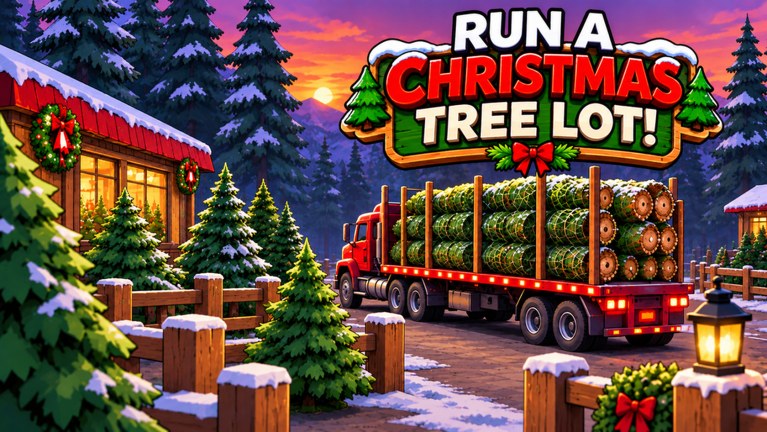
Run a Christmas Tree Lot drops you into a festive Roblox tycoon from Mr. Grinchmas: order trees, stock the lot, sell to customers, hire help, and expand. This getting started guide is the first-hour checklist—what to do after the tutorial, how to claim free rewards, and how to avoid the empty-shelf stall that kills early Cash.
If you only remember one sequence, use this: finish the tutorial, redeem codes, stock trees, serve customers, hire when Cash allows, expand when stock or customer flow bottlenecks. Everything else on this wiki—Earn Cash Fast, Hire Workers, Tree Types—builds on that order.
Finish the tutorial, then open Codes
The onboarding teaches the basics of moving around the lot, placing stock, and making a sale. Do not skip it. As soon as you control the business for real, open the Menu on the right side of the screen, choose the Codes tab, and redeem every active code from our Codes list.
Codes commonly grant Cash, Reputation (including short multipliers), a Tree Roll, and cosmetics such as the OG Golden Plaque. Cash funds your first bulk orders and early hire. Reputation starts drawing extra shoppers sooner than pure grinding. A Tree Roll is a stocking opportunity—treat it as inventory fuel, not a toy. The plaque is a flex; it does not replace trees on shelves.
Redeem carefully: codes are case-sensitive and expire. If a code fails, recheck spelling, leave and rejoin once, then confirm it is still listed as active on Codes. For community drops and chatter about new rewards, see Players.
Stock before you decorate
Your first real job is inventory. Order different types of Christmas trees and get them onto the lot where customers can buy them. Sales need stock; upgrades need Cash; Cash comes from sales. Players who rush cosmetic flair or lot size with bare shelves stall hard.
Aim for a mix of tree types early rather than dumping every coin into one SKU. Variety covers more customer tastes while you learn what empties fastest on your server. Keep watching the racks—when a type sells out, reorder before the floor looks abandoned. Deeper stocking theory lives on Tree Types, including how to think about aspirational stock like the Giant Noble Fir without chasing vanity buys too soon.
Serve customers and learn the two currencies
Once trees are out, stay present for early customers. Learn the pacing of walk-ins, how long restocking takes, and when the register backs up. Cash is your spending money for trees, workers, and expansion. Reputation is the quieter growth lever: higher Reputation means more shoppers noticing your lot, which multiplies the value of every full shelf.
Do not ignore Reputation codes or bonuses just because Cash feels more urgent. A short 2x Reputation window while shelves are full is often worth more over the next hour than the same time spent idle. Likewise, a 2x Cash multiplier is wasted if you redeem it while empty—stock first, then burn the buff. Timing detail is covered in Earn Cash Fast.
When to hire your first worker
Hire when you are the bottleneck: customers waiting while you restock, or shelves emptying while you chase one sale. Workers help run the business so the lot keeps earning while you order trees or plan upgrades. Do not hire so early that payroll leaves you unable to restock—empty shelves with staff still earn nothing.
A practical rule: after codes and a healthy first restock, bank enough Cash to hire and refill inventory in the same session. Then read Hire Workers for staffing priorities as traffic climbs.
Expand only when something is blocking sales
Expansion and lot upgrades matter, but only after stock and staffing can fill the new space. Expand when shelves cannot hold what you need, or when customer flow clearly outgrows the current footprint—not because the upgrade button looks shiny. Growing into empty square footage burns Cash you could have turned into trees and Reputation.
Check Tier List for a ranked view of early priorities, and watch Updates for Christmas Event Part 2 and balance changes that might shift the ideal order.
First-session checklist
- Complete the tutorial without rushing past stocking prompts.
- Open right-side Menu → Codes; redeem everything valid on Codes.
- Order a mixed batch of tree types and place them for sale.
- Serve customers until Cash feels steady; note which trees vanish first.
- Spend Reputation-focused rewards early so foot traffic rises with you.
- Hire your first worker only when you cannot cover stock and sales alone.
- Expand when inventory space or customer flow—not boredom—is the limit.
- Bookmark Guides Hub, Scripts if you use tools, and Updates for Part 2.
Common beginner mistakes
Skipping codes wastes free Cash and Reputation that competitors already claimed. Over-expanding before shelves stay full creates a pretty empty lot. Hiring before you can afford restocks turns helpers into expensive decoration. Ignoring Reputation slows the customer pipeline even if each sale pays well. Chasing one legendary tree name before basic variety is covered locks Cash in slow-moving stock.
What to read next
After this page, go to Earn Cash Fast to tighten the loop, then Hire Workers and Tree Types as your lot grows. Keep Codes bookmarked for every login. With that rhythm, your Christmas tree business stops feeling like a chore and starts feeling like a tycoon you are actually running.
Frequently Asked Questions
Quick answers to the most common questions.
How do I redeem codes in Run a Christmas Tree Lot?
After the tutorial, open the Menu on the right side of the screen, select Codes, enter each code exactly, and redeem. Full lists stay on the Codes hub.
What should I buy first with code Cash?
Stock a mix of Christmas tree types first so customers can buy. Then hire when you are the bottleneck, and expand only when space or traffic blocks sales.
What is Reputation used for?
Reputation draws more shoppers to your lot. Pair it with full shelves so the extra traffic turns into Cash instead of empty visits.
When should I hire my first worker?
Hire when customers wait or shelves empty while you juggle tasks alone—and only if you still have Cash left to restock after the hire.
Where can I find Christmas Event Part 2 news?
Follow the Updates hub for event timing and patch notes, then return to Getting Started or sibling guides if new systems change the early loop.